Vocabulary that sticks
Flashcards work. Nobody keeps doing them.
Babylone turns vocabulary review into nine different touch minigames instead of one tired flip-and-guess card, then keeps every word in sync across every device you own.
No credit card. The free plan is free forever, not a trial.
Try it right here
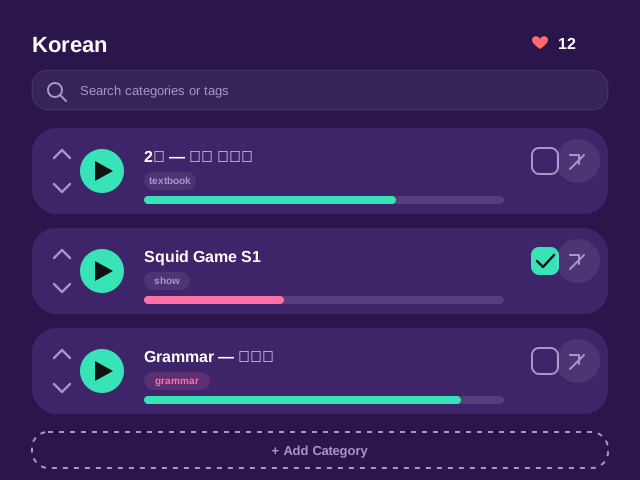
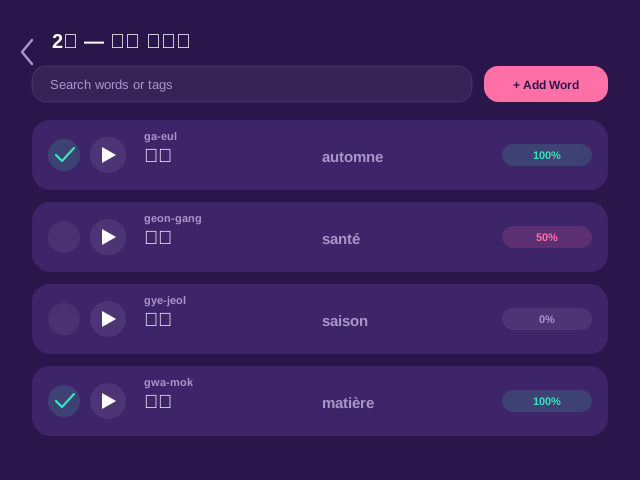
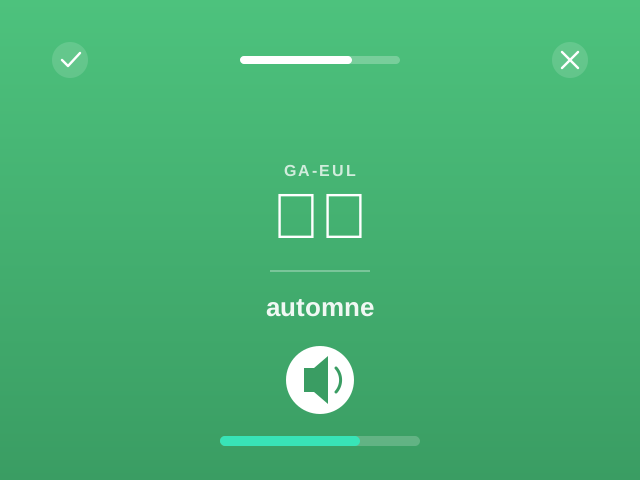
Your first lesson, in one minute.
Pick a language and play. No account, no download.
The honest pitch
Spaced repetition is real. Sticking with it is the hard part.
Anki is genuinely one of the best-studied ways to remember a word long-term. The problem was never the science — it's opening the app for review #40 of a deck that looks exactly like review #1 through #39, on cards you built yourself, with a UI from a different decade.
Babylone keeps the part that works — a queue that prioritizes the words you're shakiest on — and replaces the flip card with nine different minigames, so review #40 doesn't feel like review #1.
9Minigame modes
1 tapBuild a session queue in
OfflineWorks
The review engine
Nine ways to meet the same word
Every session mixes minigames automatically, weighted toward whatever you're weakest on. You can also turn any of them off.
1
Drag Corners
Drag the word to the correct translation, hiding in one of four corners.
2
Swipe True/False
One translation, swipe to say if it's right — fast, and a little addictive.
3
Match Sides
Pair words with their translations across two columns.
4
Match by Ear
Same matching game, played by listening instead of reading.
5
Floaty Bubbles
Drag floating letter chunks into the blanks to spell the word out.
6
Snake Grid
Trace the word through a grid of letters, snake-style.
7
Roulette Line
Pick the next correct letter from a spinning set of options.
8
Canvas Draw
Write the word by hand; handwriting recognition checks it for you.
9
Type Answer
No hints, no multiple choice — just type what you know.
In development
Coming from the browser
Mine words from what you're already watching
A browser extension for YouTube, Netflix, TikTok, Instagram and nearly 20 more video sites shows two subtitle lines at once — the language you're learning, and a translation underneath. Hover a word for a quick gloss, click for the full dictionary entry, right-click to save it straight into Babylone with the sentence it came from.
- Dual subtitles, rendered cleanly — not the cluttered overlay you're used to
- Proper word segmentation per language, not a naive space-split
- Every saved word keeps its sentence, timestamp, and source episode
Install the browser extension
Dual subtitles on YouTube, Netflix, TikTok, Instagram and nearly 20 more video sites — and any site you switch it on for. Click any word to look it up, hear it, and send it straight to your word list.
Get the extension
Free on every plan.
Not in the browser stores yet — grab the extension package and install it yourself in about two minutes.
Manual install (2 minutes)
- Download the latest babylone-extension-x.y.z.zip and unzip it — or clone the repository and run npm install && npm run build inside _EXTENSION/_CODE.
- Open chrome://extensions and turn on Developer mode.
- Click Load unpacked and pick the unzipped folder (the one containing manifest.json).
- Open a subtitled video on YouTube, Netflix or any other supported site — dual subtitles appear within a few seconds.
Live now
Not building every deck alone
Start from someone else's deck
Import a spreadsheet today, or browse decks other learners have built and shared — by topic, by textbook, by TV show. Review a community deck before you commit to it, then import just the words you want into your own topics.
- Search by language, tags, size, and rating
- The original creator keeps edit rights — nobody else can touch their deck
- Bookmark a deck to come back to, or import it in one tap
In development
Coming next
Then go use the words on someone
AI-driven text conversations and phone calls, with real personalities and topics — scaffolded down to drag-and-drop sentence building for a total beginner, or wide open like a real DM thread once you don't need the training wheels. Pause a call any time to build your next sentence at your own pace.
- Works without AI too, on a scripted conversation database, if you'd rather not use it
- Hover any word for a translation, or ask for the whole message at once
- Predictive next-word suggestions, like your phone's keyboard, for typing in a new language
Pricing, honestly
The free plan isn't a demo
Unlimited review sessions, all nine minigames, cloud sync across every device, and enough topics and decks to actually learn a language — free, permanently. Paid plans exist for people who want more: unlimited everything, subtitle mining, and AI conversation practice.
Compare plans- Unlimited study sessions
- All 9 minigames
- Cloud sync across devices
- Up to 3 topics, community decks included
FAQ
Frequently asked questions
Is Babylone actually free, or is this a trial?
The free plan is permanent — no trial countdown, no credit card to start. It covers unlimited study sessions, every minigame, and cloud sync. Paid plans remove the topic/deck limits and unlock subtitle mining and AI conversation practice once those ship.
What languages does it support?
Any language you can type or paste — vocabulary is entirely user-supplied, via manual entry or spreadsheet import, so there's no fixed language list to be limited by.
Do I need the browser extension to use Babylone?
No. The review app works fully on its own — import a word list and start studying. The extension is an optional way to feed it new words from what you watch, and it's still in development.
Does it work offline?
Yes. The app is local-first: your data lives on your device and syncs to the cloud in the background when you're connected, so a spotty connection never blocks a review session.
Can I import my own word lists?
Yes, from Excel or CSV, with columns for the word, translation, pronunciation, an example sentence, and tags. Community decks are also available to browse and import from directly.
Is my data private?
Your vocabulary and progress are yours — see the Privacy Policy for exactly what's stored and why. Nothing is sent to a third-party AI provider unless you turn an AI feature on.